
OpenClaw preinstalled on a hardened VPS, ready to run
A hardened NVMe virtual server with OpenClaw already installed and configured. Browser automation ready out of the box, full root access, and a dedicated Vietnam IPv4. Provisioned once payment clears, billed monthly with no long-term contract.
- Your own API key
- Data sovereignty
- Least-privilege container
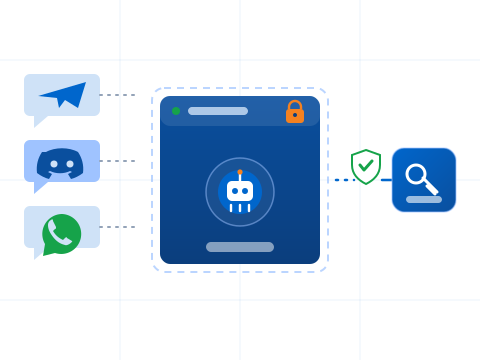
- Telegram, Discord, WhatsApp
OpenClaw VPS plans
Three plans on NVMe, each with a dedicated Vietnam IPv4. OpenClaw ships preinstalled inside a least-privilege container, with reverse proxy and SSL already set up. You plug in your own API key.
Claw Start
A personal agent, light workloads.
- 2 vCPU
- 4GB RAM
- 30GB Storage
- Telegram, Zalo, WhatsApp…
- Hardened: non-root, UFW, fail2ban
- 1 agent — basic skills
- Weekly backups, 7-day retention
Claw Pro
Matches the recommended 4 vCPU and 8 GB baseline.
- 4 vCPU
- 8GB RAM
- 50GB Storage
- Telegram, Zalo, WhatsApp…
- Least-privilege sandbox
- 1-2 agents — extended skills
- Weekly backups, 14-day retention
Claw Max
Several agents, heavier concurrent tasks.
- 6 vCPU
- 12GB RAM
- 80GB Storage
- Telegram, Zalo, WhatsApp…
- Least-privilege sandbox
- Multi-agent — full skills
- Weekly backups, 30-day retention
Not sure which plan fits, or need something bigger?
See all plans and pricingOpenClaw ready from the first second, hardened by default
SSH in with full privileges to a machine where OpenClaw is already installed, security hardening is applied, and the browser environment runs isolated from the rest of the system. No setup work before you can start, and the machine stays yours from the kernel up.
- OpenClaw
- Preinstalled and ready to run
- Environment
- Hardened, isolated browser sandbox
- Access
- Full root over SSH
- Support
- 24/7 ticket, from đ490.000/mo
- Application
- OpenClaw preinstalled
- IPv4
- 103.xxx.xxx.xxx
- Configuration
- 4 vCPU · 8 GB RAM
- Storage
- 70 GB NVMe SSD
- Uptime
- 99.9%
- Region
- Vietnam
Skip the setup, start with a machine that is already prepared
Standing up a browser automation server usually means installing dependencies and locking the box down before you write a single line of automation. Here that work is already done, on a dedicated machine with committed resources that you fully control.
Ready to run
OpenClaw is preinstalled and configured, so you can connect and start using it right away instead of spending time on installation and dependencies.
Hardened and secure
Security hardening is applied to the server and the browser runs in an isolated environment, so automation work is separated from the rest of the system.
Dedicated resources
Committed CPU, RAM and NVMe storage on a machine that is yours alone. No shared hosting throttling and no resources split across noisy neighbors.
Full control
Full root access means you can adjust the configuration, install additional tools and manage the machine exactly the way your workflow needs.
What is included on every OpenClaw VPS
Each server ships prepared for browser automation, with the application and its environment set up for you before handover.
- OpenClaw preinstalled
- OpenClaw installed and configured, ready to run as soon as you connect
- Headless browser stack
- The browser dependencies OpenClaw needs, set up to run headless in an isolated environment
- Security hardening
- Server hardening applied so the machine ships in a locked-down state
- Firewall
- A firewall configured out of the box, adjustable with your full root access
- Auto-restart
- Managed as a systemd service so it restarts automatically after a reboot or a crash
- Full root access
- Complete control to tune, extend or reconfigure the setup however you need
What people run on an OpenClaw VPS
With OpenClaw ready and full root access, the machine suits a range of automation work. A few common examples:
- Browser automation
- Drive a browser through OpenClaw for repeatable automated sessions
- Data collection
- Scraping and data collection tasks that run against the web
- Automated workflows
- Scheduled or triggered workflows that need a browser environment
- Always-on jobs
- Long-running or recurring automation kept running 24/7 on a dedicated machine
What each plan includes
Every plan runs OpenClaw in a least-privilege container behind SSL. The difference is how many agents you can run at once, how far back backups go, and how closely uptime is watched.
| Feature | Claw Start | Claw Pro | Claw Max |
|---|---|---|---|
| OpenClaw, latest release | |||
| Telegram, Zalo, WhatsApp, Discord, Slack | |||
| Reverse proxy and SSL | |||
| Your own domain | |||
| Least-privilege container | |||
| Automatic OpenClaw updates | |||
| AI API (Claude, GPT, Gemini) | |||
| Persistent memory (Markdown) | |||
| Hardened: non-root, UFW, fail2ban | |||
| Preinstalled skill bundle | Basic | Extended | Full |
| Best for | Personal AI assistant | Small business, many channels | Many agents, many teams |
| Weekly backups, retained | 7 days | 14 days | 30 days |
| Uptime monitoring | Basic | Standard | Advanced |
| Concurrent agents and workload | Light | Moderate | High |
What to know before choosing
- AI usage billed separately
- These plans cover the infrastructure and setup. Model API costs (Claude, GPT, Gemini) are paid directly to the model provider with your own API key. That keeps billing transparent and usage under your control.
- No local model execution
- All three plans run in API mode, not local inference. 12 GB RAM is not enough for large local models. If you need data to stay on your server, contact us for a custom GPU configuration quote.
- Prebuilt skill bundle
- Ships with tested skills: email triage, Zalo support responder, server log monitoring, dependency security scanning, CRM updates, daily briefings and code review. Enable whichever you need.
- Zalo works best for 1:1 support
- The Zalo channel is strongest for direct customer replies and personal notifications. For complex group automation, Telegram or Slack fit better.
- Security configured up front
- The agent runs as a non-root user inside a least-privilege container, and API keys load from environment variables so they never leak into logs or prompts. Firewall and fail2ban are enabled.